Plans
Sharing a plan
Every plan in Tandem has a shareable view designed for your customer. They don't need a Tandem account — they just open the link.
Getting the share link
- Open a plan
- Click Share in the plan header
- Copy the link to send to your customer
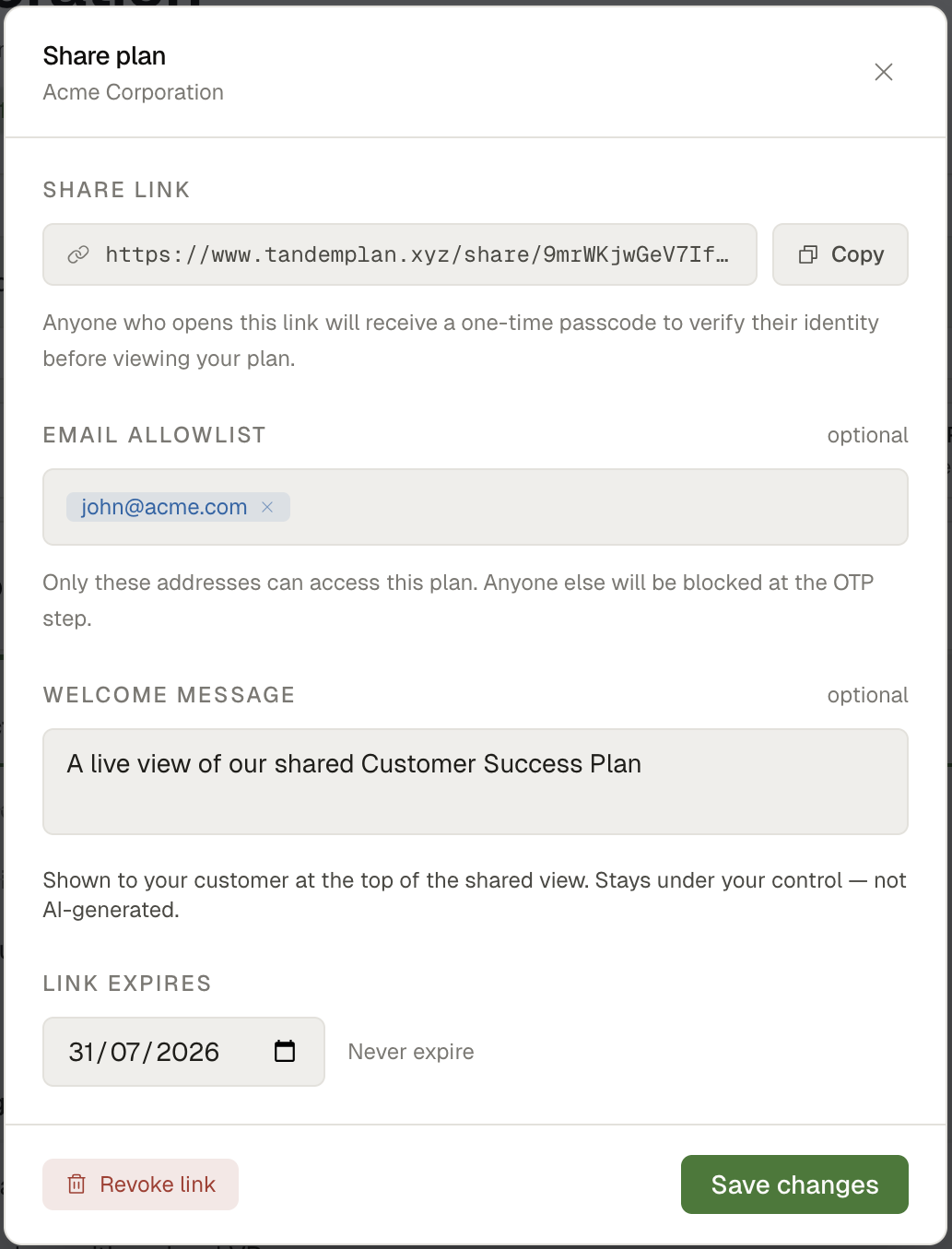 SS-013 · Share modal with copy link and OTP toggle
What customers see
The shared view shows:
- The plan name and account name
- Active phases with milestones and tasks (excluding internal-only tasks)
- Overall progress
- Outcomes
It does not show: internal tasks, your private notes, or any admin information.
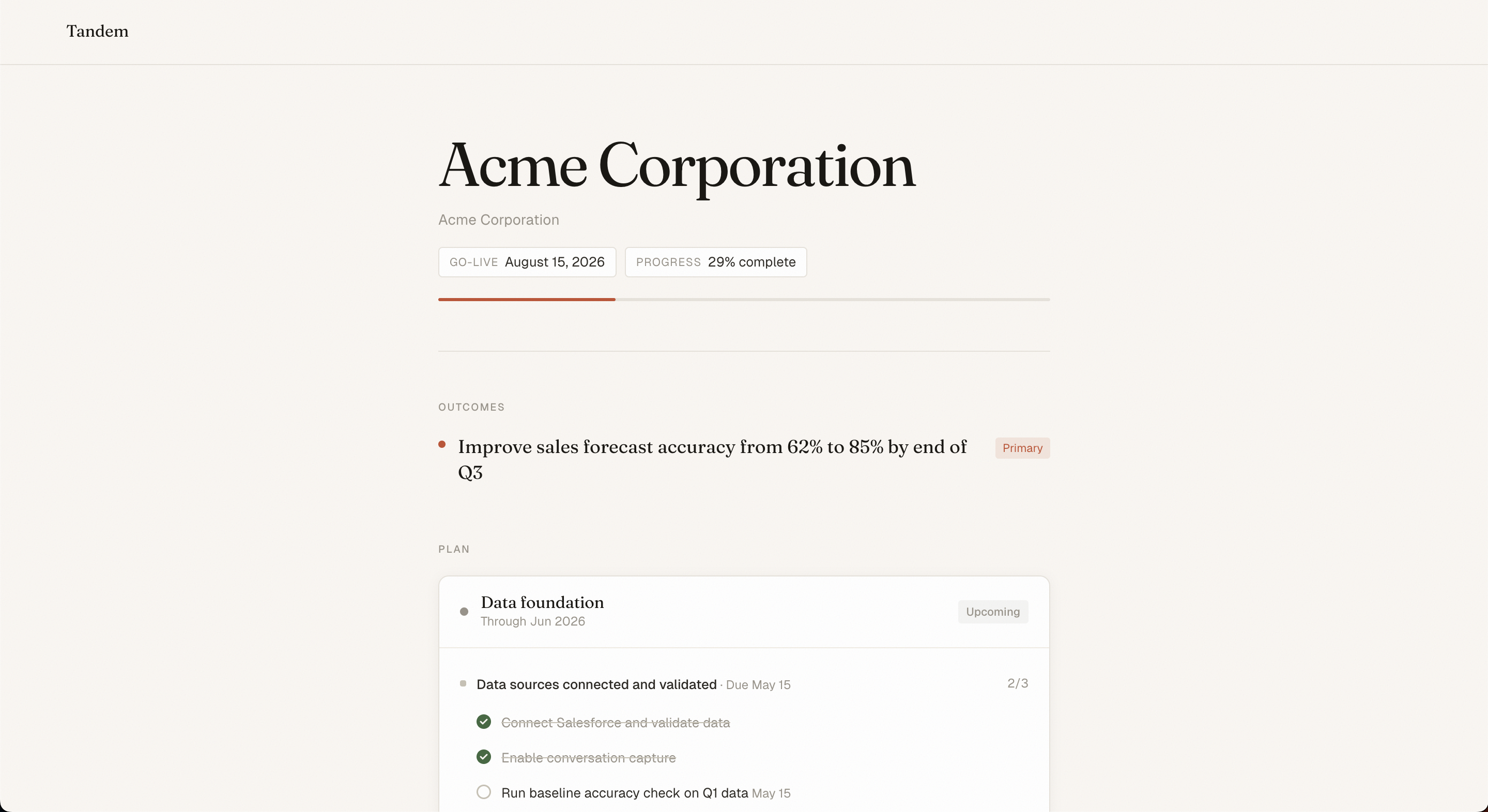 SS-014 · Customer-facing shared plan view
Access control
By default, anyone with the link can view the plan. For sensitive engagements, you can require a one-time passcode (OTP):
- In the Share modal, toggle Require email verification
- When your customer opens the link, they enter their email
- They receive a 6-digit code to verify access
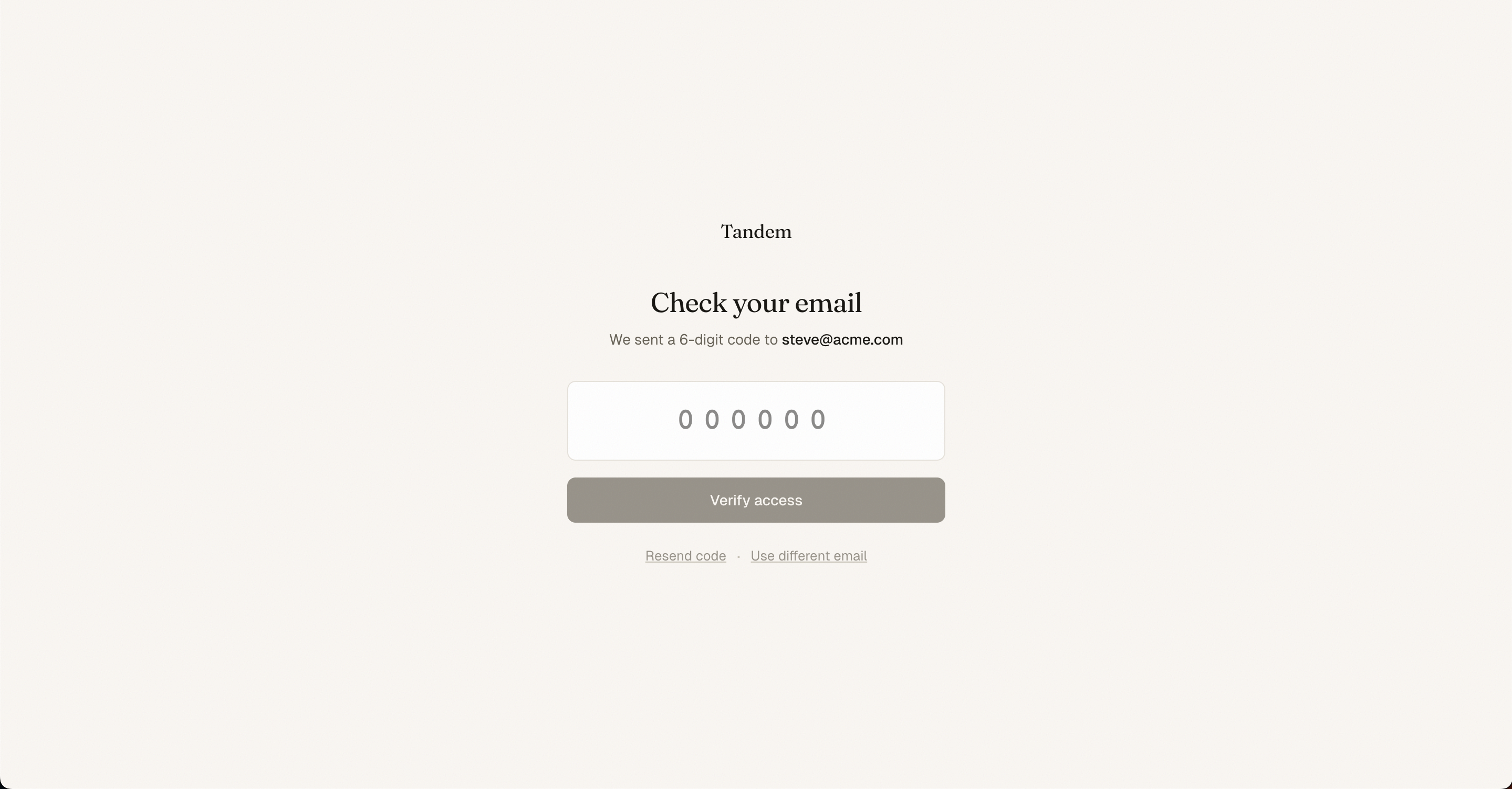 SS-015 · Email verification screen for OTP-protected plans
Revoking access
To revoke a share link, open the Share modal and click Revoke link. Any existing links immediately stop working. You can generate a new link at any time.
Related
Was this helpful?
Last updated April 30, 2026