Plans
Templates
Templates let you start new plans from a proven structure instead of from scratch. Tandem ships with built-in templates for common engagement types. You can also save a private, sanitized structure from a plan.
Using a template
When creating a new plan, you'll see the option to start from a template. Select one to pre-populate phases, milestones, and tasks.
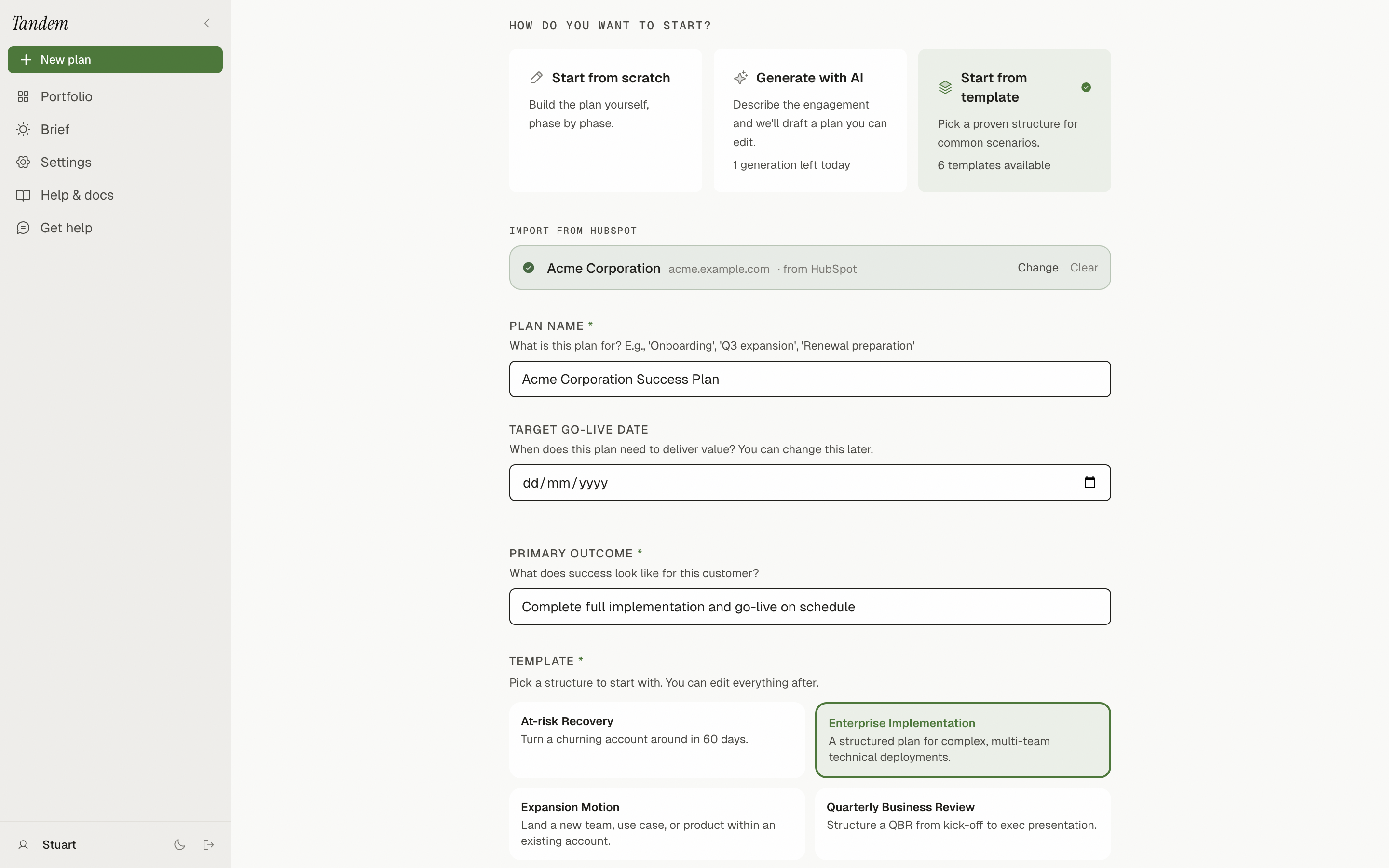 SS-016 · New plan form with template selection active
Built-in templates
Tandem includes templates for:
- SaaS onboarding — 90-day implementation with go-live milestone
- Renewal preparation — 60-day renewal cycle with stakeholder alignment
- Expansion — upsell engagement with business case milestone
Creating a custom template
Open a plan and choose Save sanitized template in the success section. This keeps the hierarchy and relative due dates, but replaces all titles with numbered labels and removes customer names, descriptions, links, notes, emails and evidence. Owner assignments become generic roles.
Open My templates, review the structure, and enter a new customer and target date. Dates are shifted relative to the original go-live date (or earliest due date if none was set). The new plan is created atomically. Rename its steps and assign real owners before sharing. Templates are private to your account; system templates remain available separately.
Current limitation: saved private templates reuse structure and timing, not the wording of your playbook. Renaming steps in a new plan does not update the saved template. There is currently no template title editor; do not expect those renamed steps to appear the next time you use it.
Related
Was this helpful?
Last updated April 30, 2026